Open in
Work permits
The Work Permit tab lists each work permit a player holds, one per nation, and the clubs Football Manager refused the player a permit for. Use it when a player cannot be registered because of a missing permit. For other eligibility problems, see Registration and nationality.
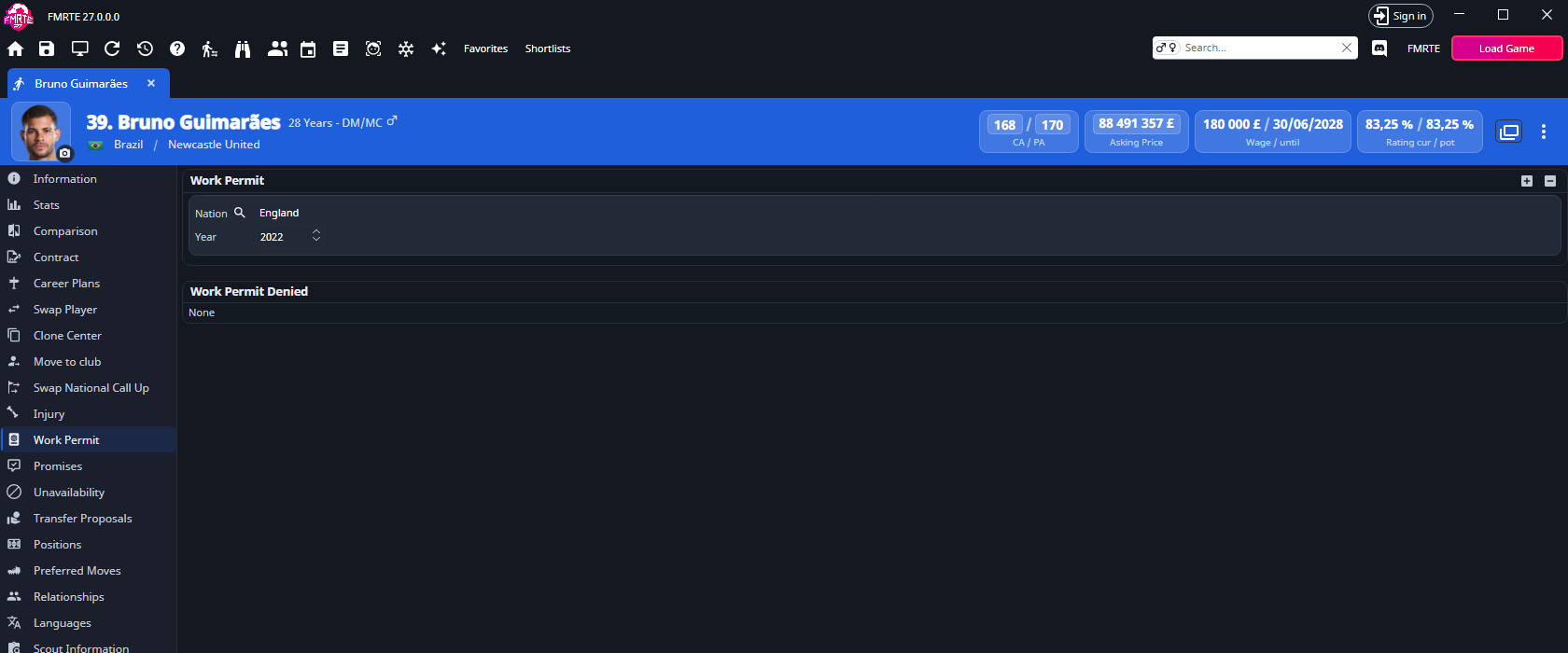
If the player has no Work Permit tab, FMRTE does not support work permits for your game version.
What saves immediately and what waits
Some actions on this tab write to the game as soon as you use them. Others wait for Save Changes.
| Action | When it is written |
|---|---|
| Add a permit with + | Straight away |
| Remove a permit with − | Straight away |
| Make permanent | Straight away |
| Remove on a refusal | Straight away |
| Change Nation, Year or Renewal review from | When you select Save Changes |
Give a player a work permit
- Open the player and select Work Permit.
- Select +.
- Choose the nation that issues the permit.
FMRTE adds the permit straight away. The new permit is permanent, and its Year is the current in-game year. If the player already holds a permit for that nation, nothing is added. For a full walkthrough, see Add a work permit to a player.
To take a permit away, select it and use −.
Edit a permit
| Control | What it does |
|---|---|
| Nation | The nation name opens its page. The search button beside it (Change nation) picks another nation. A nation the player already holds is refused and the old one is kept. |
| Year | The year the permit was granted, from 1901 to the current in-game year. |
| Renewal review from | Conditional permits only. The game reviews the permit once a year on this date. You can pick a date within the last year. |
| Make permanent | Conditional permits only. Turns the permit into a permanent one. |
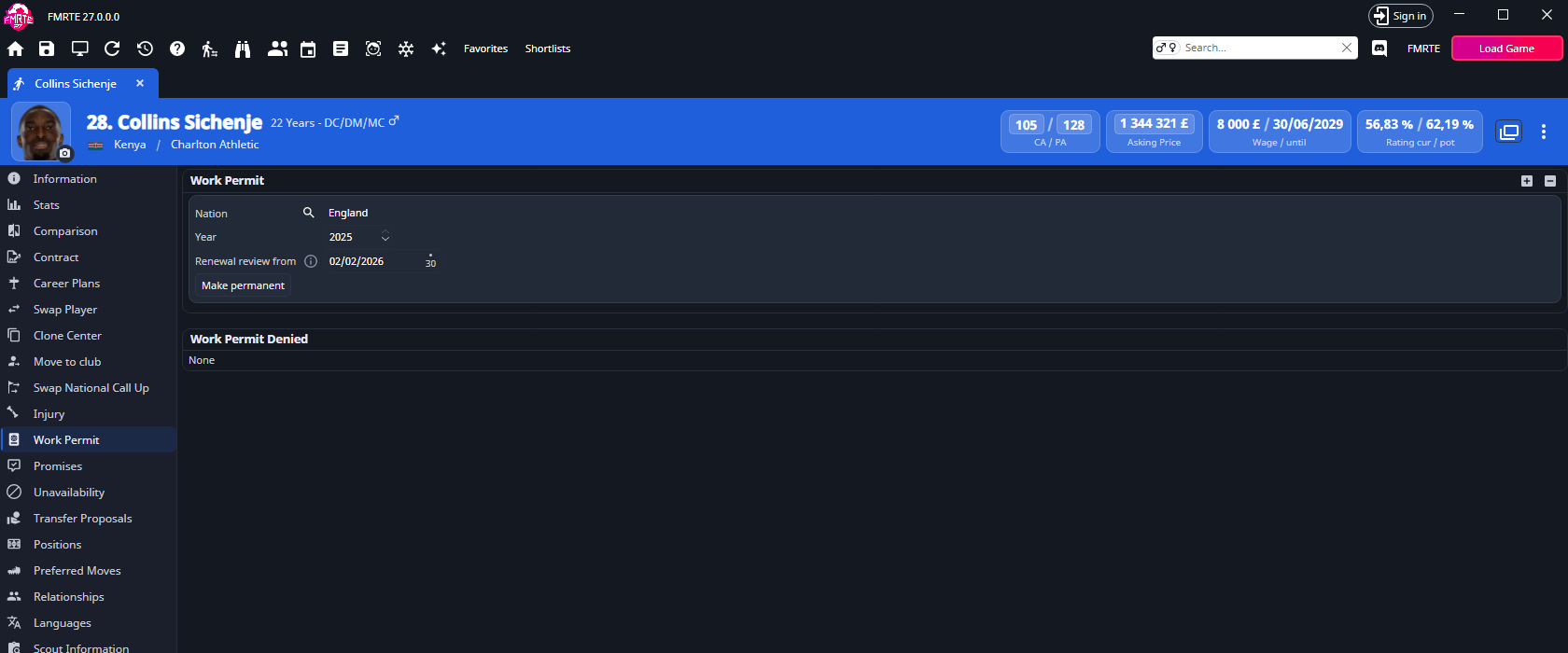
A permanent permit has no Renewal review from date.
Remove a refusal
Work Permit Denied lists the clubs Football Manager refused the player a permit for, or None. Select a club to open it, or select Remove beside it to clear that refusal.
Undo and limits
Edit History records every work permit change. You can undo a Year or Renewal review from change. Adding or removing a permit, changing its nation, Make permanent and removing a refusal are recorded as Cannot be undone. Reverse them on the tab instead.
If + is disabled, hover over it. Adding work permits is not available with this connection to the game means FMRTE cannot get memory from Football Manager for a new permit. You can still edit and remove existing permits. If adding fails once, FMRTE says nothing was added, so try again.
Presets, Mass Edit and grid columns cannot give or take away a work permit. Use the Work Permit tab.
Related pages
- Registration and nationality when the player still cannot be registered.
- Nation work permit rules and competition work permit rules for the rules the game applies.