Open in
Make your first edit
Raise one player's Passing by one point, then check the change in Football Manager.
Before you start
You need a loaded savegame and an activated license.
Choose a player whose Passing is below 20.
Make and save the change
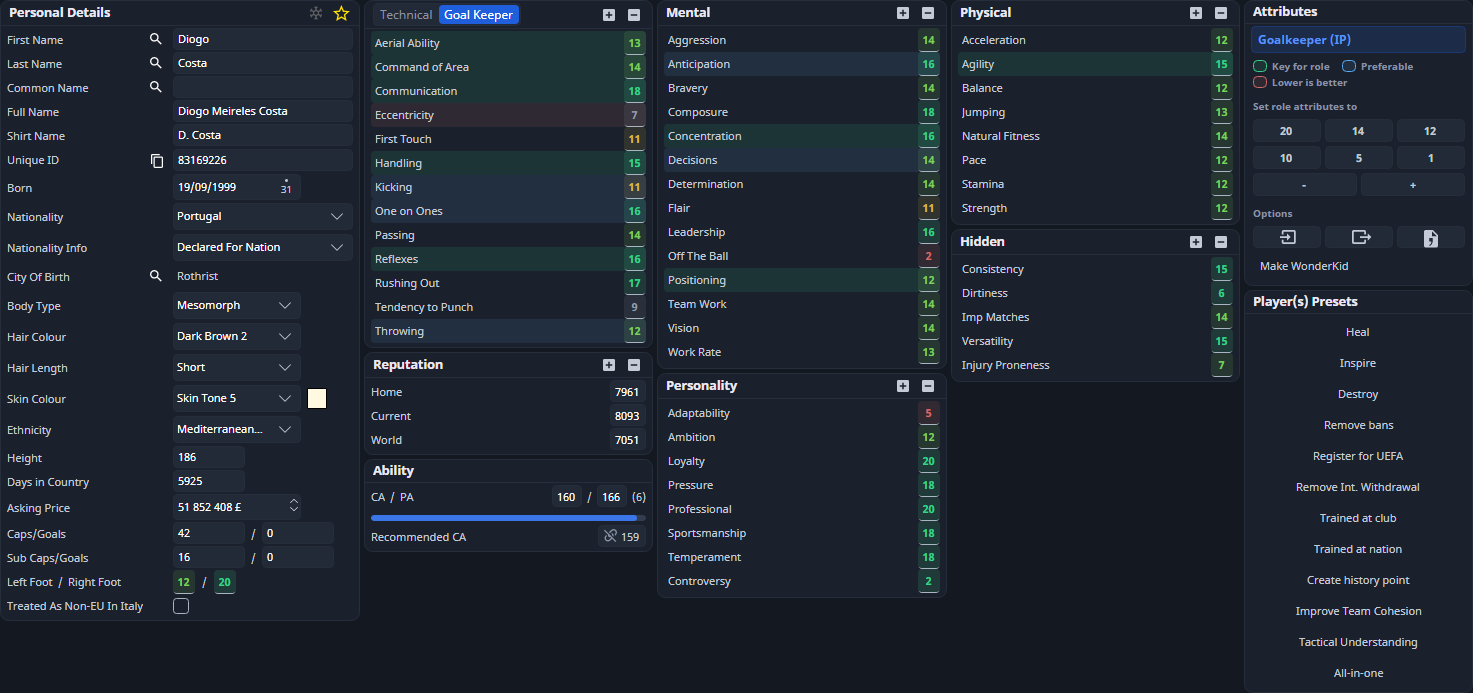
- Find the player and open Information.
- Increase Passing by one point, for example from 12 to 13.
- Select Save Changes in the toolbar.
Confirm the result in Football Manager
Some changes appear after the game advances.
- Open the same player's Attributes screen in Football Manager.
- Check that Passing has increased by one point: from 12 to 13 in this example.
- Save in Football Manager to keep the change.
If the attribute changes later
Training, development and ability balancing can change attributes again. See Player attributes and Freezer.
If your edit never appears, follow the saving checks.
Try another task
Choose a walkthrough from Examples, or take the optional interface tour.
Check the saved change
A pending field has an accent outline, and a successful FMRTE save turns its mark green. Green indicates a write to the running game. Save in Football Manager to keep it on disk. To inspect or undo an eligible value, open Edit History. Reloading or closing a page with drafts prompts before discarding them.