Open in
Player attributes
The Information tab groups the player's attributes by type. For a first walkthrough, see Your first edit. To maintain values while playing, follow Freeze players and staff.
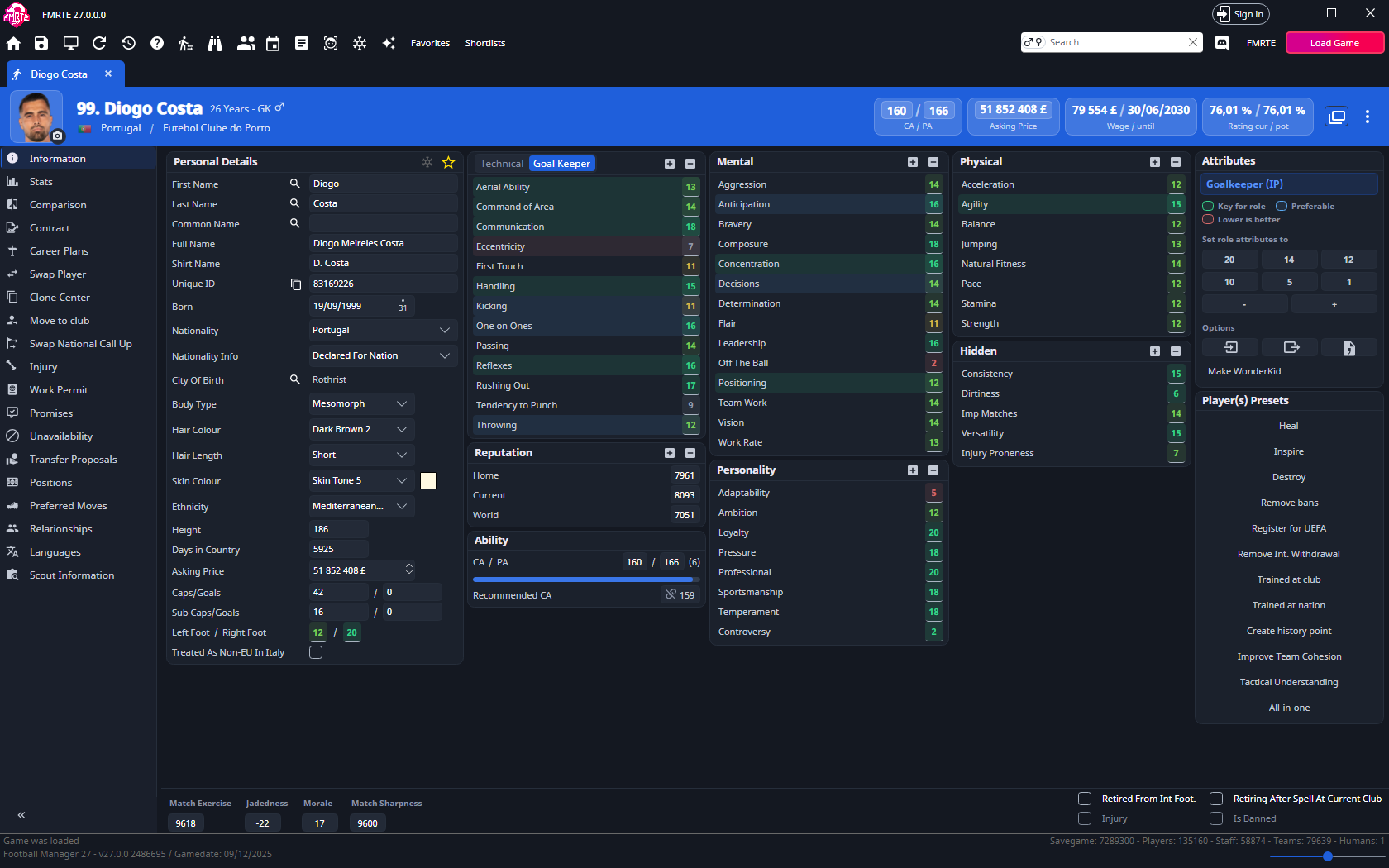
Attribute groups and scale
These groups use the usual 1–20 scale: 1 is low and 20 is high. A higher value means more of that quality, high Dirtiness, Injury Proneness or Controversy is not an improvement. These three are coloured in reverse, so a low value shows as good.
The + / − controls on a group heading adjust several attributes together.
| Group | Editable attributes |
|---|---|
| Technical | Corner, Crossing, Dribbling, Finishing, First Touch, Free Kick Taking, Heading, Long Shots, Long Throws, Marking, Passing, Penalty, Tackling, Technique |
| Mental | Aggression, Anticipation, Bravery, Composure, Concentration, Decisions, Determination, Flair, Leadership, Off The Ball, Positioning, Team Work, Vision, Work Rate |
| Physical | Acceleration, Agility, Balance, Jumping, Natural Fitness, Pace, Stamina, Strength |
| Goalkeeper | Aerial Ability, Command of Area, Communication, Eccentricity, First Touch, Handling, Kicking, One on Ones, Passing, Reflexes, Rushing Out, Tendency to Punch, Throwing |
| Hidden | Consistency, Dirtiness, Imp Matches (important matches), Versatility, Injury Proneness |
| Personality | Adaptability, Ambition, Loyalty, Pressure, Professional (professionalism), Sportsmanship, Temperament, Controversy |
The Goal Keeper card shows by default for goalkeepers. Use the Technical / Goal Keeper switch in the card header (Tec. / GK in a narrow window) to swap the two cards for any player.
Current Ability (CA) and Potential Ability (PA) use a separate 1–200 scale. See Understanding CA and PA for Recommended CA and how ability relates to attributes.
The Reputation group also uses a different scale. Home, Current and World reputation values go up to 10,000.
Use the role selector
The role button at the top right of Information lets you choose a role and duty. The menu starts with the player's Best roles. When no role is chosen, the best role is highlighted automatically. The legend marks attributes as Key for role, Preferable or Lower is better, the last for attributes the role is better without. Group quick-set buttons leave Lower is better attributes unchanged.
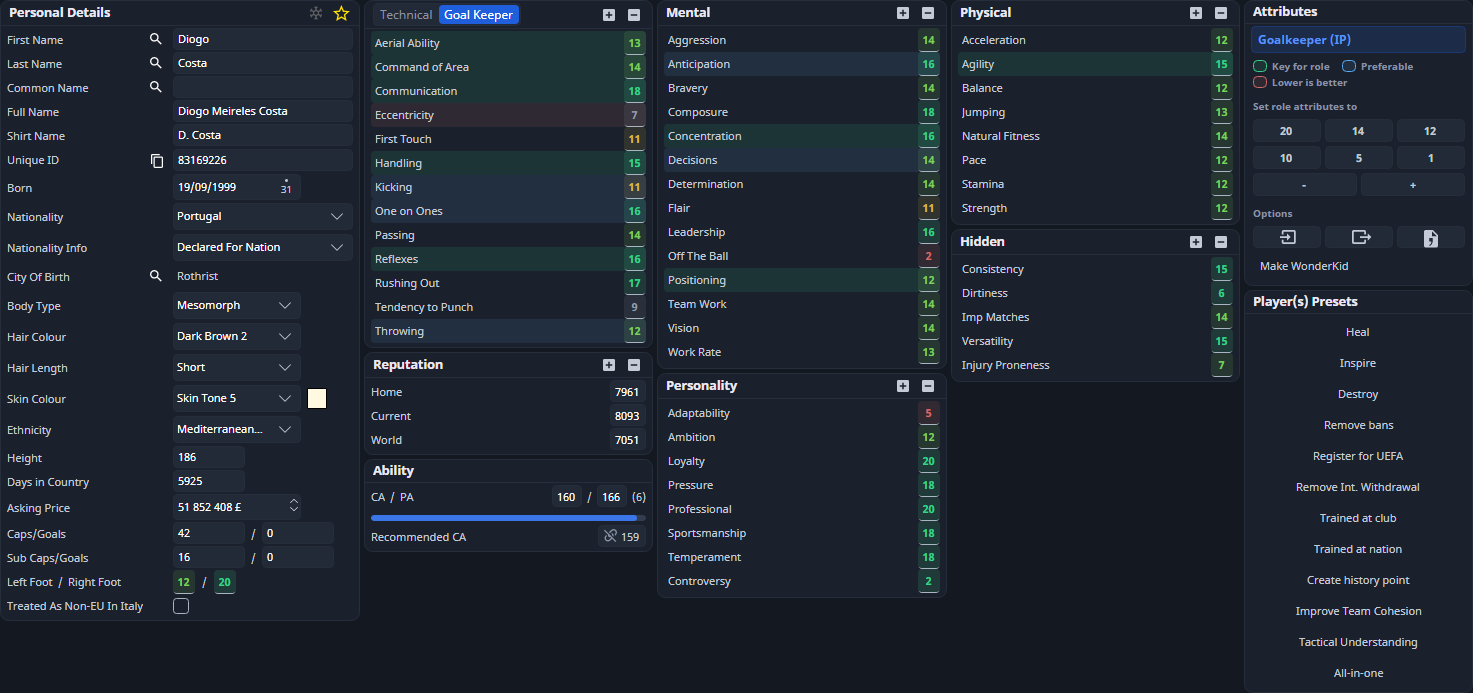
Selecting a role changes the highlights, not the player's attributes, positions or match instructions. Player profile settings control automatic highlighting and whether compatible presets and group adjustments affect only highlighted attributes.
For fitness, morale and happiness values, see Condition & happiness.
Read the Information layout
Information groups personal details, ability and attributes into cards. The role legend distinguishes highlighted attribute groups. Read the quick-set caption before using a preset: it distinguishes the highlighted role attributes from all attributes. Condition controls stay visible below the scrolling attribute area.