Open in
Edit History and Undo
Edit History records changes made through FMRTE during the current loaded-game session. It includes page saves, presets, Mass Edit, assistant edits and supported commands. It does not record changes made by Football Manager itself.
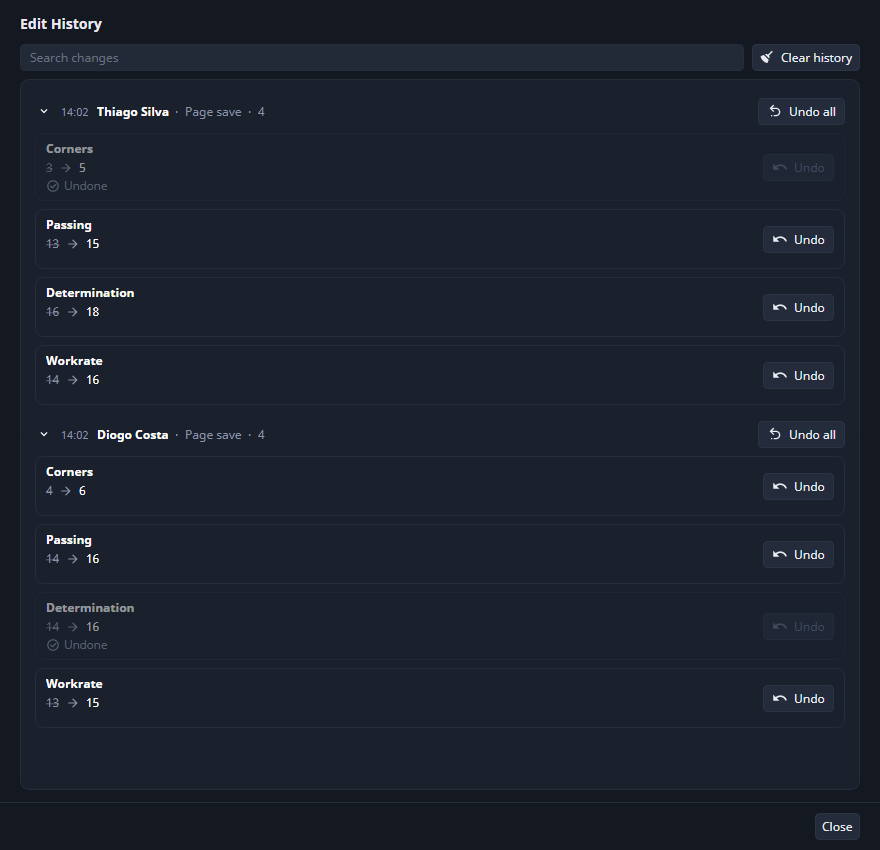
The screenshot shows illustrative edits: six rows can still be undone, and two have already been undone. Completed undos stay in the list, dimmed and marked Undone, with their Undo buttons disabled. The screenshot uses isolated example values. It does not apply changes to the capture save.
Read edit marks
An accent outline marks a pending field change. A * on a record or section tab marks unsaved edits. Returning a tracked field to its original value removes its pending mark.
After a successful save, the field mark turns green. This means FMRTE wrote the change to the running game. Save in Football Manager to keep it in the save file.
Reloading or closing a page with pending edits asks before discarding them. Save Changes applies to the shown section. When other sections contain drafts, save those sections individually before closing.
Undo a saved value
- Select Edit History beside Reload Screen in the toolbar.
- Find the change, using Search changes if needed.
- Expand its batch to check the entity, field and old/new values.
- Select Undo on the row.
- Read the result and check the value in Football Manager.
For example, after saving Corners from 13 to 17, Undo restores the original stored value if the running game still holds the value FMRTE wrote. Undo writes immediately. There is no additional FMRTE Save step.
Undo all processes eligible rows of a batch in reverse order. A search restricts the rows included: clear the search first to include the whole batch. Collapsing a batch does not exclude its rows.
Understand a skipped undo
| Result | What to do |
|---|---|
| Changed since | The game value no longer matches this edit. Undo a later FMRTE edit first if appropriate. There is no force-overwrite option. |
| Entity is frozen | Unfreeze it, then reopen Edit History to check eligibility again. |
| A save or another undo is running | Finish that operation or its confirmation dialog, then retry. |
| Cannot be undone | The action has no safe inverse. The row records what happened. |
| Undo failed or Not written | Check the reported error and the current value before retrying. |
Actions that add/remove game objects or have side effects, such as moving a player or importing data, can be recorded without undo support. Bulk undo may restore some values and skip others. It is not an all-or-nothing rollback.
An open page may still display an older value. Resolve its pending edits before using Reload Screen. Refresh affected pages after a bulk undo.
History limits
History keeps at most 5,000 entries. A bulk run counts as one entry and retains at most 50,000 captured values. Larger runs remain listed without their undo data. These limits count entries and values, not players.
History clears when the game unloads and does not survive restarting FMRTE. There is no Redo. Backups and recovery covers recovery outside these limits.
Clear history
Select Clear history and confirm. This forgets all records, including those hidden by a search, without changing game values. It removes the ability to undo those records. Finish any running save or undo before clearing.