Open in
Understanding CA, RCA and PA
These three values help explain why attributes may change after an edit.
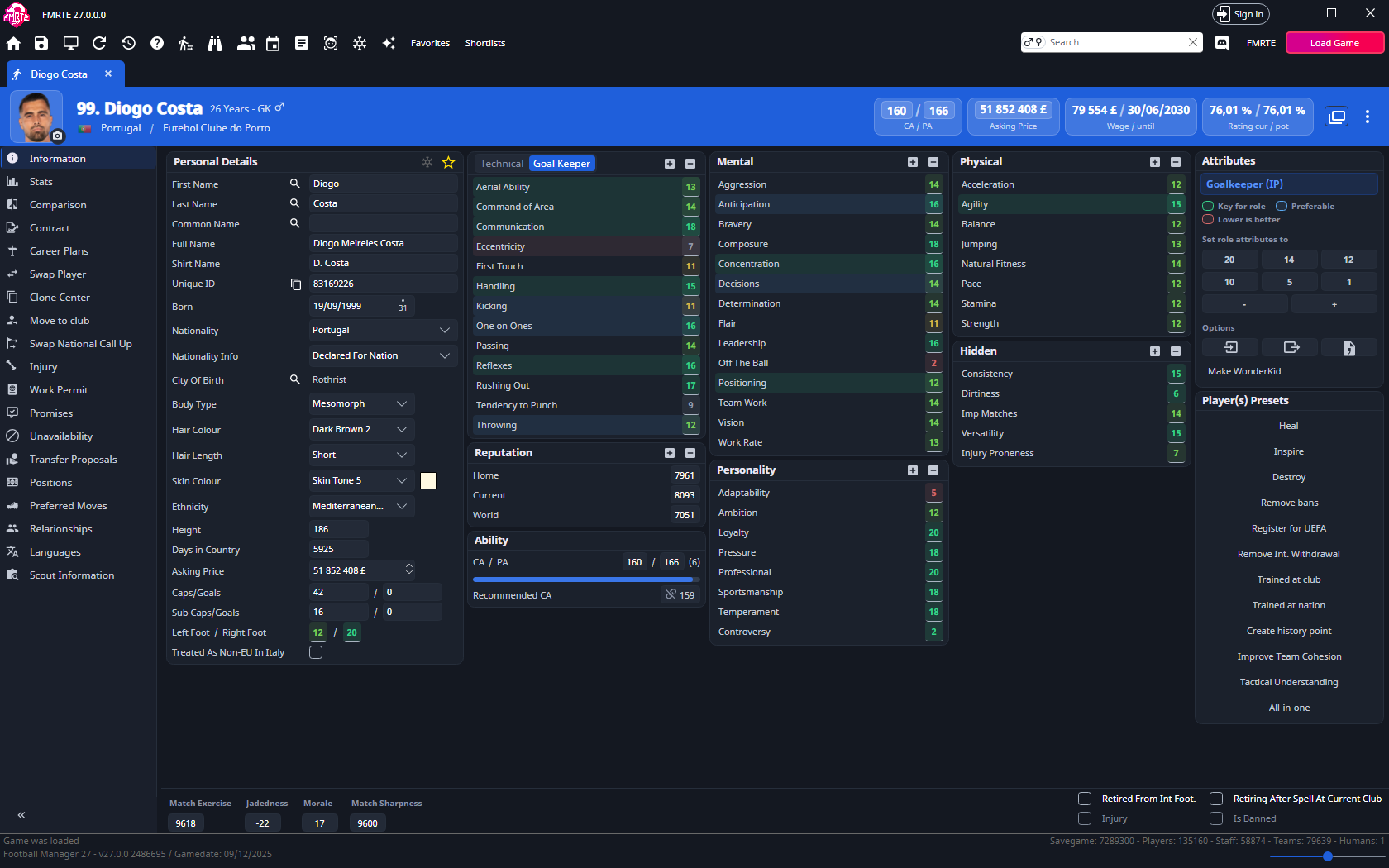
What the numbers mean
| Value | Meaning |
|---|---|
| CA - Current Ability | The player's current ability budget, from 1 to 200. |
| RCA - Recommended CA | FMRTE's estimate of the CA needed for the player's attributes and positions, using the ability weights in Settings → Tools → Ratings, Ability Weights tab. |
| PA - Potential Ability | The ceiling for normal development. Keep CA at or below PA. |
RCA is a recommendation. Role ratings are separate: they use Football Manager's own role rating and appear under Scout Information → Role Ratings. The header's Rating cur / pot combines the player's best-role rating with their CA. The potential figure uses their projected ability.
A worked example
To raise Passing from 13 to 20:
- Open the player's Information page and note CA, RCA and PA.
- Set Passing to 20 and check the new RCA.
- Set CA yourself, or select the RCA number beside Recommended CA (tooltip: Match CA with RCA) to make CA follow it.
- If CA exceeds PA, raise PA or reduce the edit.
- Select Save Changes and check the player in Football Manager.
How close should CA and RCA be?
Matching CA to RCA keeps the ability budget consistent with your chosen attributes. Football Manager can still change attributes through training, development and ageing. Freezer can hold selected values.
Related pages
- Player ratings, including Settings → Tools → Ratings, Ability Weights tab
- Player attributes
- Positions and preferred moves
- Wonderkid generator
Edit ability from the header
The player header shows the same CA / PA fields as Information. CA is read-only while Match CA with RCA links it to the calculated value. Save the section that owns the pending edit and check the result.