Open in
Promises
The Promises tab lists the promises a manager made to a player, as Football Manager shows them to the player. Use it to give a player a promise, change one that is due or take one away.
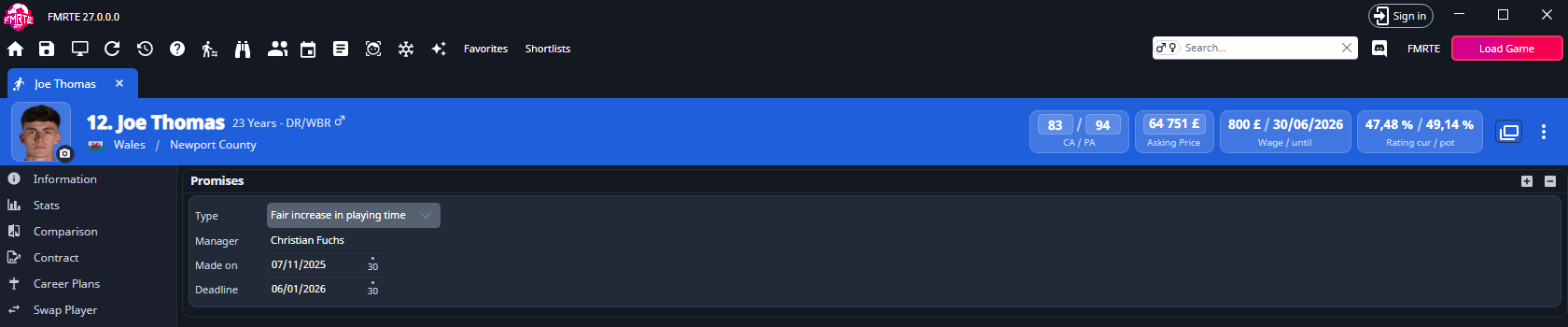
If the player has no Promises tab, FMRTE does not support promises for your game version. FM Touch and Arcade have none. A player with no promises shows None.
What saves immediately and what waits
| Action | When it is written |
|---|---|
| Add a promise with + | Straight away |
| Remove a promise with − | Straight away |
| Change Type, the person or competition, Playing Time, Number, Made on or Deadline | When you select Save Changes |
Give a player a promise
- Open the player and select Promises.
- Select +.
- Change the new promise's Type and dates if you need to.
- Select Save Changes.
FMRTE adds the promise straight away. Its type is Fair increase in playing time, it is made today and its deadline is three months later. Steps 3 and 4 are only needed when you change it.
The promise is made by the first-team manager of the club that holds the player's contract, as in Football Manager. That holds for a reserve or youth player too.
A promise FMRTE adds has no conversation with the player behind it. Back up your save first, and check the player in Football Manager after you select Continue.
Edit a promise
| Field | What it does |
|---|---|
| Type | What was promised, in Football Manager's own words. The list is in alphabetical order. A word in quotes, such as Win 'Competition', is filled in by the row below it. Some types share a name, as they do in the game. Promises about a position or a tactical role are not offered. |
| Manager | The manager who made the promise. Select the name to open them. |
| Person or Competition | Shown when the type is about a person or a competition. Use the search button to choose one. Select the name to open it. |
| Playing Time | Shown when the type promises a level of playing time. |
| Number | Shown when the type promises a shirt number, from 1 to 99. |
| Made on | The date the promise was made. It can't be after the deadline. |
| Deadline | The date the promise is due. It can't be before Made on. |
When you change Type, the person, competition or value is kept if the new type asks for the same kind of thing. Otherwise choose it again before saving. If something is missing, Save Changes reports Cannot save the promise: with what is missing, and the row stays unsaved so you can fill it in.
A Type you can't change
Most promises Football Manager made come from a conversation with the player and carry details tied to it. Type is greyed out on those rows. You can still change the dates or remove the promise.
A promise whose type FMRTE can't write shows that type at the top of the list, so the row keeps it until you pick another.
Remove a promise
Select the promise and use −. FMRTE takes it out of the player's and the manager's lists straight away.
If Football Manager has already dropped a promise since the tab opened, for example because it was kept or broken, the row disappears when you remove it, or when you change it and select Save Changes.
Promises a manager made
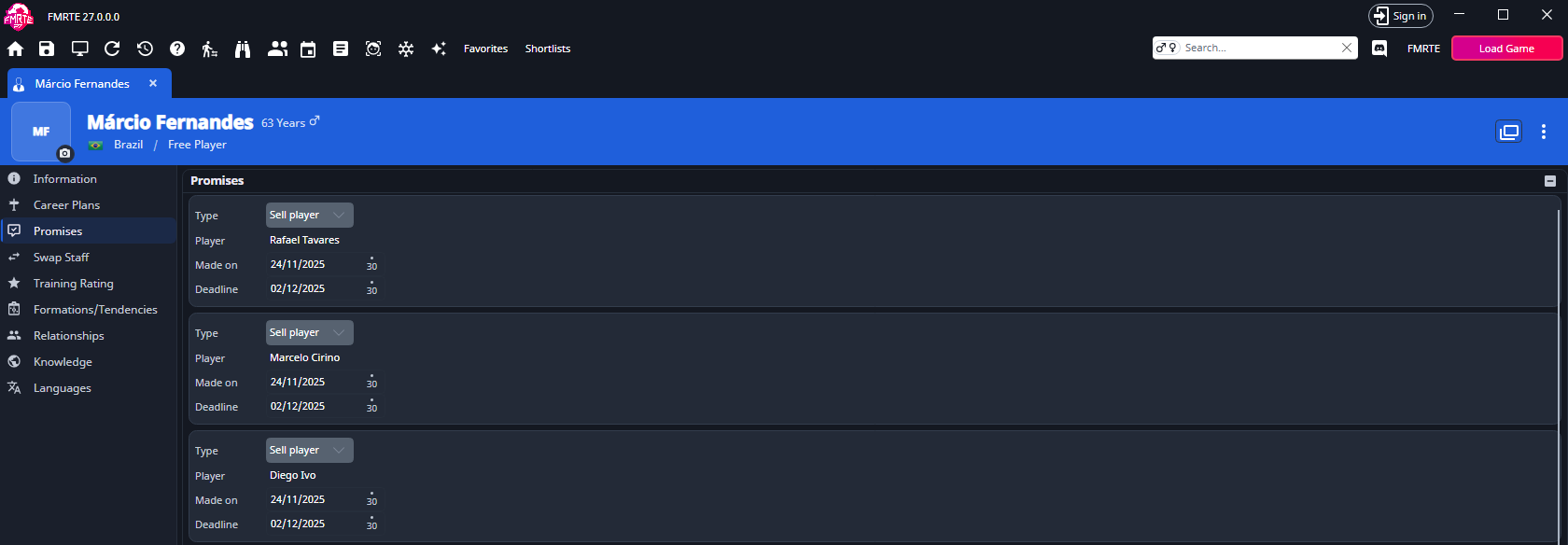
A manager's page has its own Promises tab, listing the promises that manager made, with Player in place of Manager. Your own manager's tab is under Favorites → Profile. You can change and remove promises there, but add them from the player's tab.
Undo and limits
Edit History records every promise change as Add promise, Remove promise, Change promise, Change promise date or Change promise deadline. You can undo a change to Type, the person, competition or value, Made on or Deadline. Undoing a type change puts back the person, competition or value the old type held. Adding or removing a promise is recorded as Cannot be undone. Reverse it on the tab instead.
If + is disabled, hover over it for the reason:
| Message | What it means |
|---|---|
| Promises can't be added to a player on loan | Add the promise after the loan ends. |
| The player's club has no manager to make the promise | Appoint a manager first. |
| Adding promises is not available with this connection to the game | FMRTE can't get memory from Football Manager for a new promise. You can still edit and remove existing ones. |
If adding fails once, FMRTE says nothing was added, so try again.
Related pages
- Condition and happiness for a player unhappy about a broken promise.
- Contracts for the agreed playing time in the player's contract.