Open in
Editing the youth intake
A club's Youth Intake tab lists the players waiting to join the club on intake day, and lets you edit them before they arrive. On intake day they join with the values you saved.
When the tab is available
The tab appears on a club managed by a human, and on any other club that has candidates.
The candidates are listed from the game's youth intake preview until intake day. At any other time the tab says Available from the youth intake preview until intake day.
What each candidate shows
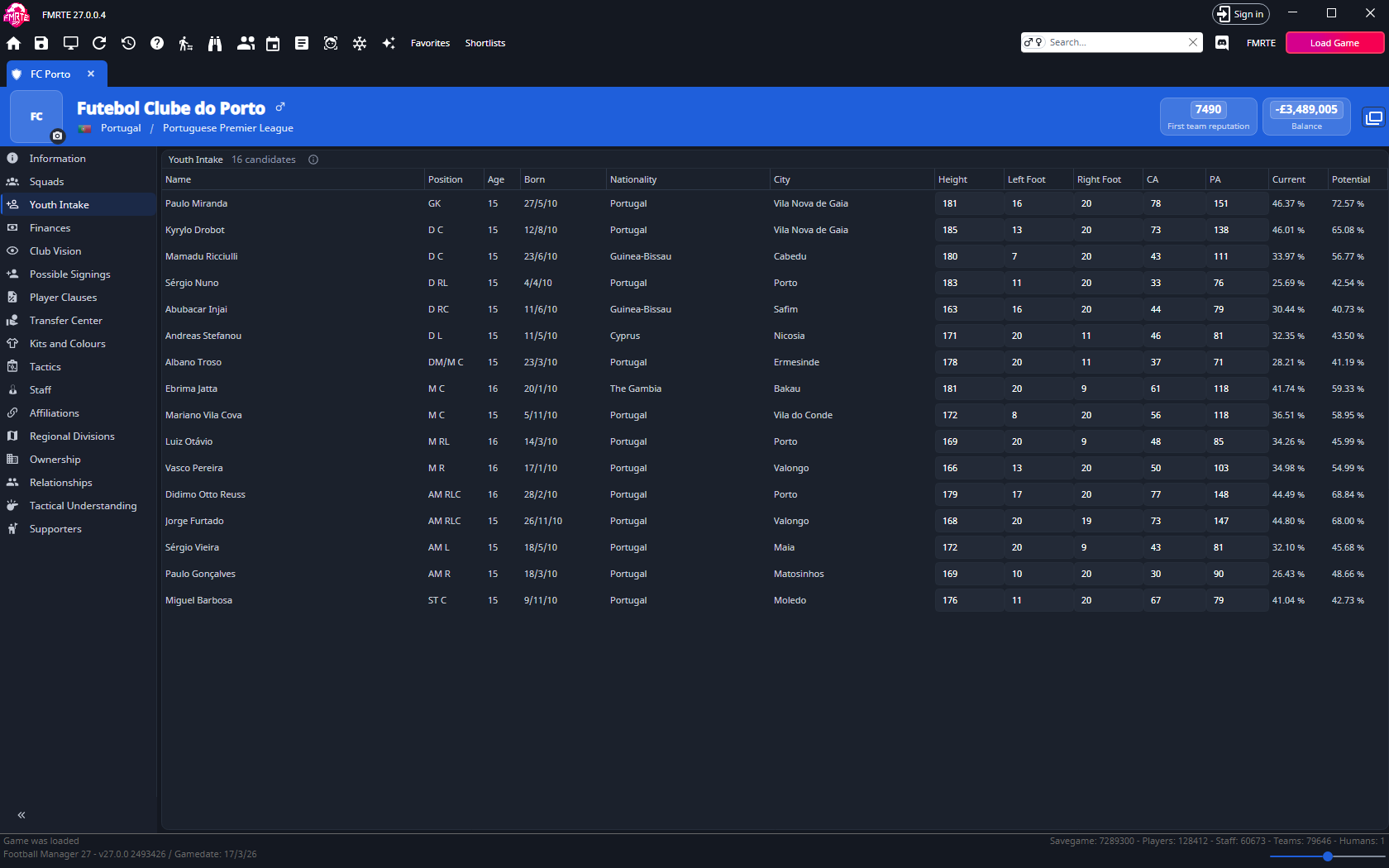
The list starts with goalkeepers and ends with strikers. Select the Name, Position, Age, Born, Nationality, City, Current or Potential header to sort by that column.
| Column | What it shows |
|---|---|
| Name, Position, Age, Born, Nationality, City | Who the candidate is. These can't be changed here. |
| Height | Editable, from 120 to 230. |
| Left Foot, Right Foot | Editable, from 1 to the top of your attribute scale. One foot must stay at the top of the scale, usually 20. Both boxes turn red when neither is. |
| CA, PA | Editable, from 1 to 200. Changing CA does not change the candidate's attributes. |
| Current, Potential | Ratings FMRTE calculates, like those on a player's page. Potential can fall when attributes rise far above CA. |
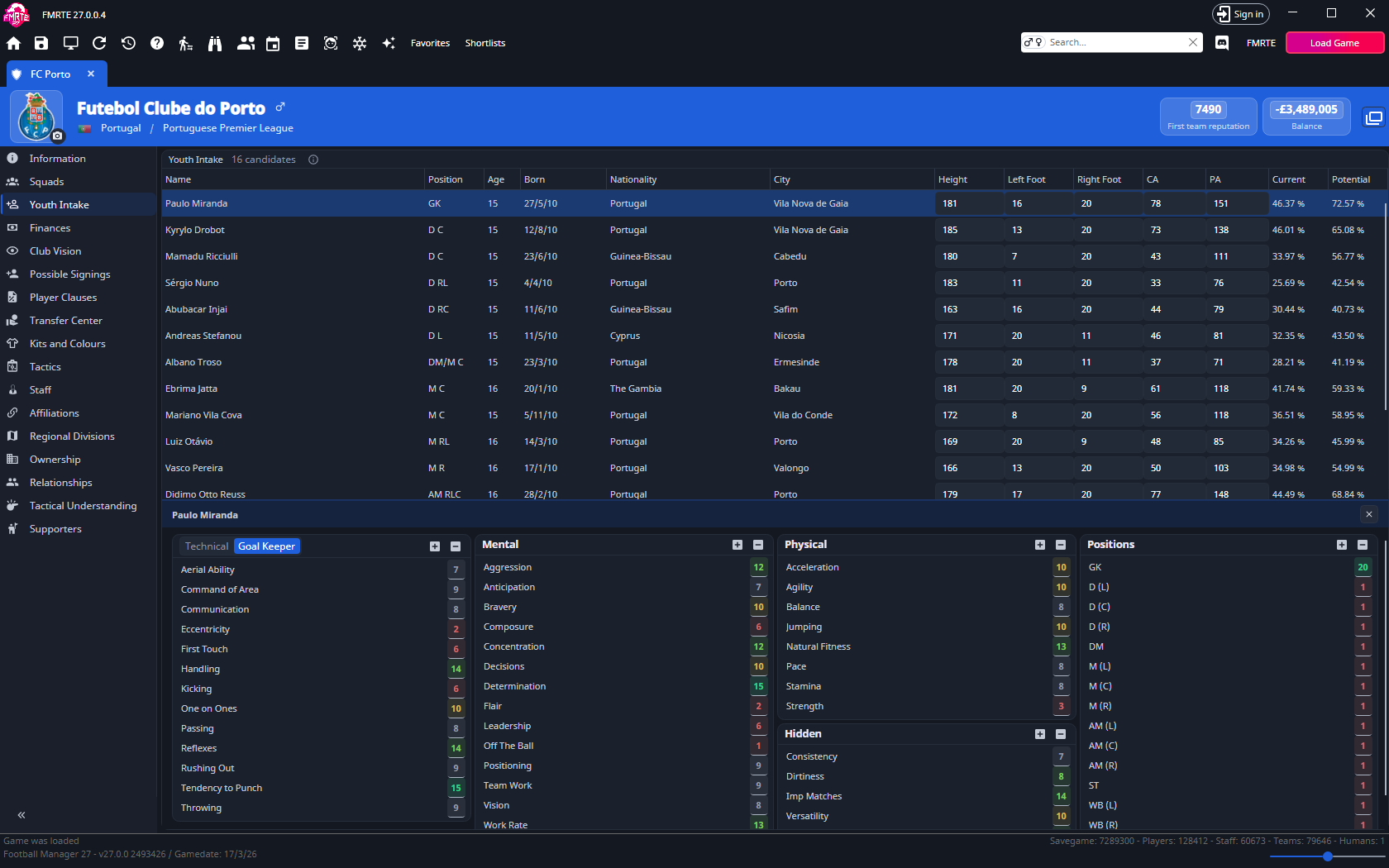
Select a row to open that candidate's attribute cards under the list: Technical or Goal Keeper, Mental, Physical, Hidden and Positions. The + and - buttons on a card change everything in it. Use the close button to give the list the whole page again.
Change a candidate
- Open the club and select Youth Intake.
- Change a value in the candidate's row, or select the row and change a value on a card.
- Select Save Changes.
- Advance Football Manager to intake day and check the new player.
The game's own intake report can keep showing the old values after you edit a candidate. Check the player once they have joined.
If a change is not saved
| Message | What it means |
|---|---|
| Some candidate values are out of range and were not saved | A value is outside its limits. It stays marked as failed. Correct it and select Save Changes again. |
| Youth intake already happened: changes to the candidates were not saved | The candidates have already joined the club. Find them as normal players instead. |
Undoing a change
Your changes appear in Edit History, where you can undo them until intake day. After that, an undo has no effect.