Open in
Club vision, signings, clauses and transfers
Four club tabs deal with the club's plans and deals: Club Vision, Possible Signings, Player Clauses and Transfer Center. Edit a field, then select Save Changes.
Club Vision
Club Vision lists the first team's club culture items. The tab appears only when the first team has at least one.
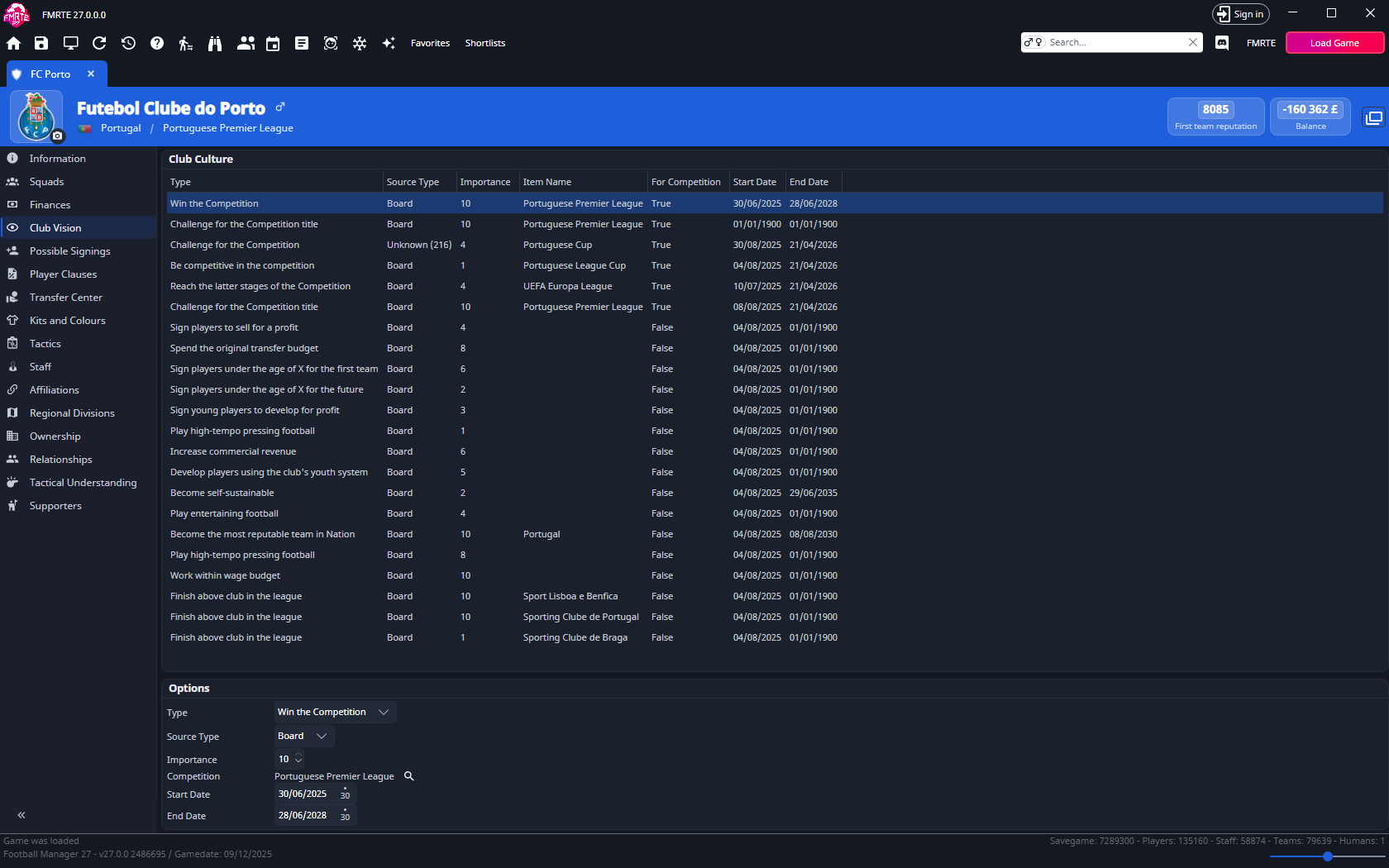
The Club Culture list shows each item's Type, Source Type, Importance, Item Name, For Competition, Start Date and End Date. You cannot add or remove items here.
Change a vision item
-
Open the club and select Club Vision.
-
Select the item in Club Culture.
-
In Options, change the fields you want:
Field What it holds Type The item, for example "Play attacking football" or "Win the Competition". Source Type Who set the item: Board or Supporters. Importance 0 to 10. Referenced item Shown for types that name a competition, nation, continent or club. Select the search button to choose another competition, nation or continent. Start Date, End Date When the item applies. Max Age Shown for age-based types, such as "Don't Sign Players Over X Age". Minimum Shown for "Minimum X-year contracts for first-team players". -
Select Save Changes.
Competition objectives (where For Competition is True) can only change to another competition objective, and other items only to another non-competition type. When a new type refers to a different kind of item, FMRTE clears the referenced item, so choose a new one before you save.
Possible Signings
Possible Signings lists the players who have this club among the clubs interested in them. It is read-only.
The list uses the same columns as player search results. To change them, see Column settings. Double-click a player to open their profile, or right-click for the player menu.
Player Clauses
Player Clauses lists the clauses in the club's player deals, with Player Name, Type and Club. Select a clause to see its fields on the right. Double-click a clause to open the player.
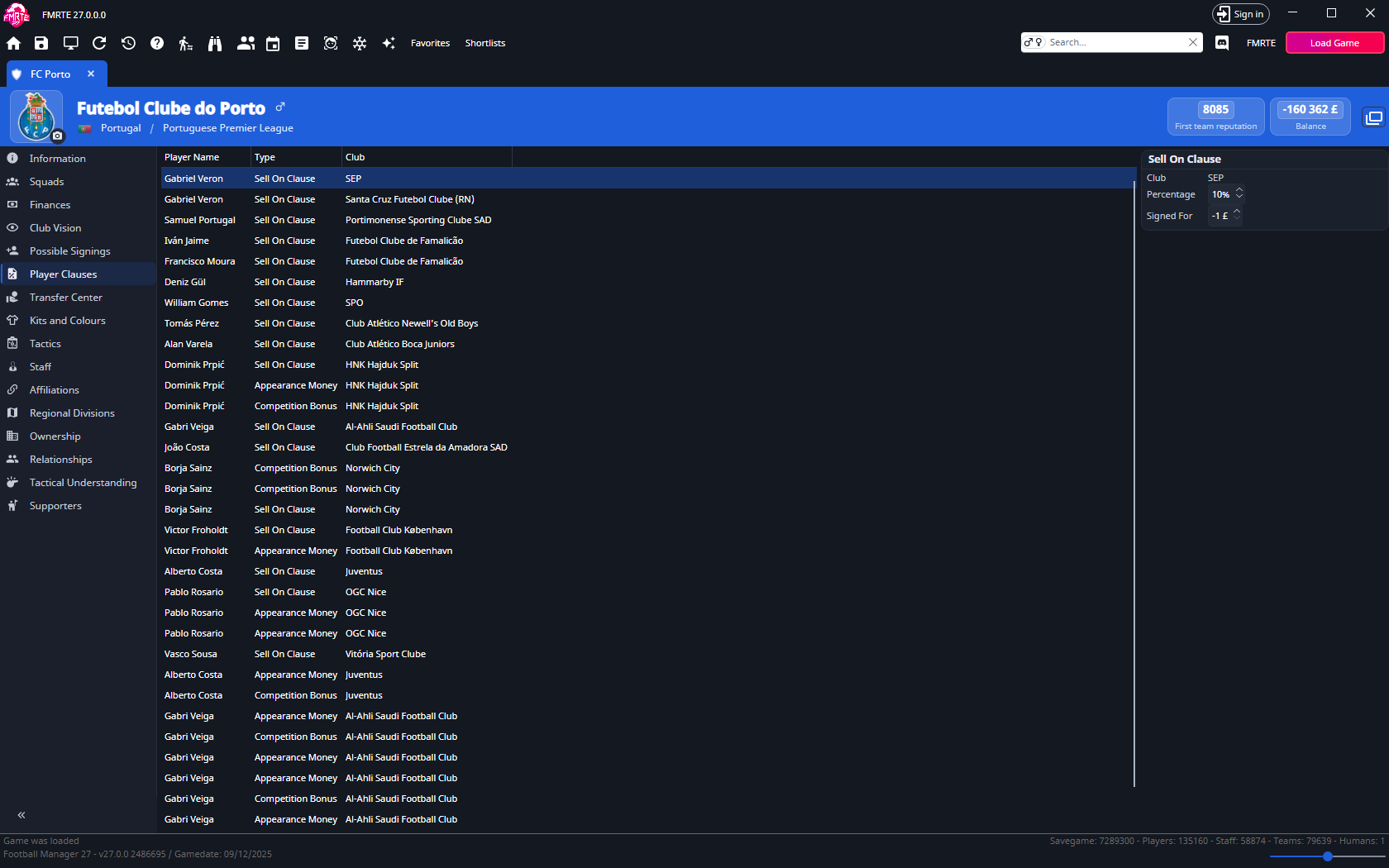
| Clause | Fields you can edit |
|---|---|
| Sell On Clause | Percentage and Signed For (the fee). |
| Appearance Money | Type (for example Per League Appearance), Fee, Total so far and Total. |
| Player Buy Back | Value (the buy-back fee), Start Date and End Date. |
| Competition Bonus | End Date and Value. The competition is shown but cannot be changed. |
| Arrange Friendly | Valid Until. |
Every clause shows its Club, which you cannot change. You cannot add or remove clauses here.
Change a clause
- Open the club and select Player Clauses.
- Select the clause.
- Change its fields on the right.
- Select Save Changes.
Transfer Center
Transfer Center lists the transfer offers where the club is the buyer or the seller. Enquiries are not listed. The default columns are Type, Name, From, To, Transfer Fee and Status.
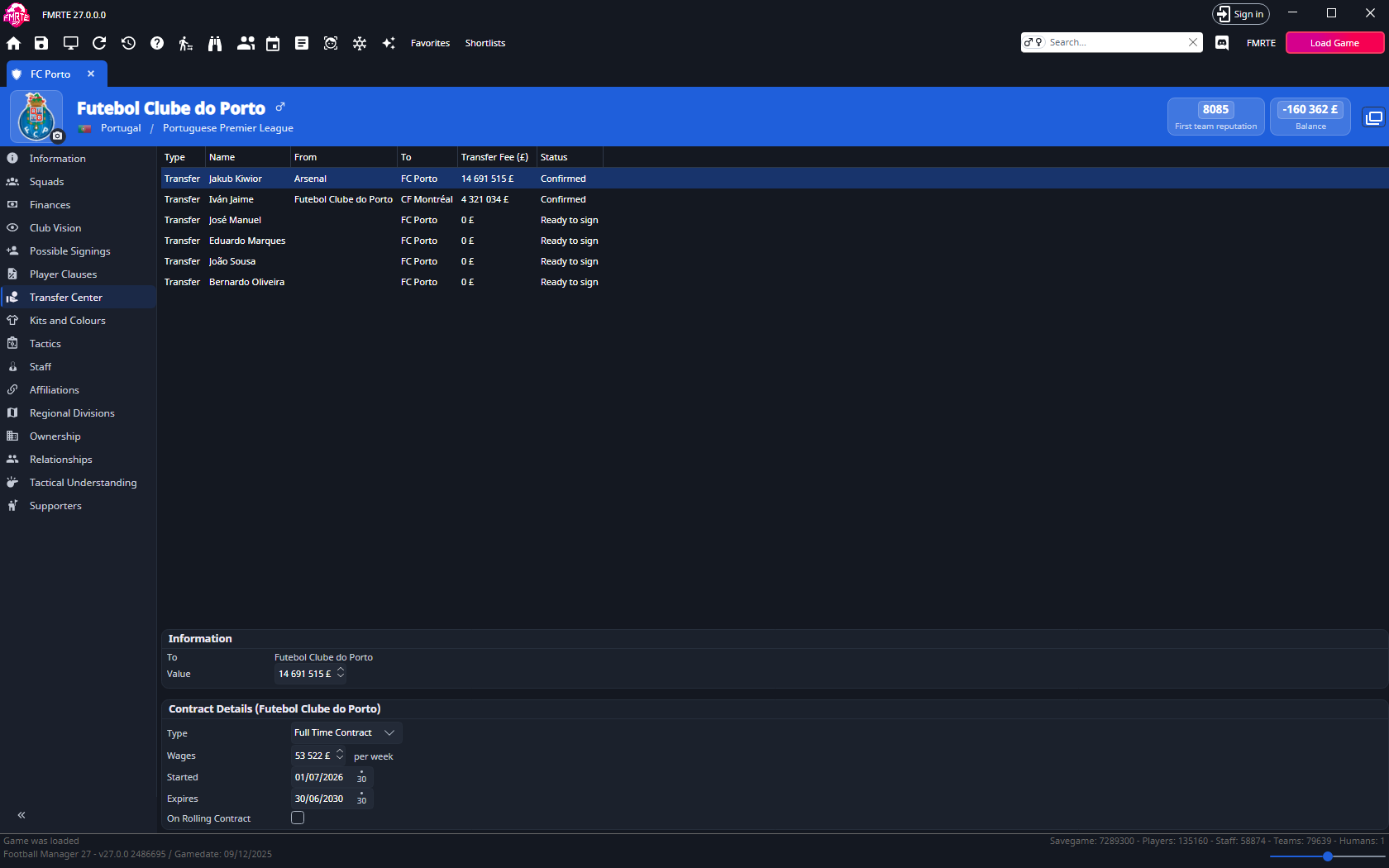
Select an offer to see:
- Information: the buying club (To) and the offer Value, which you can edit.
- The player's future contract for this offer, when the player has one. Its fields are the same as on Contracts.
Change an offer
- Open the club and select Transfer Center.
- Select the offer.
- Change Value, or a field in the future contract.
- Select Save Changes.
You cannot change the clubs, the type or the status, or add or remove offers. The player's own Transfer Proposals tab shows the same offers for one player.
For a deal that is already agreed, use View Future Transfers instead. See Edit an agreed future transfer.