Open in
Club staff
The club's Staff tab lists its staff and applies presets and contract actions to them. For your own club, the Additional Staff box on Information sets how many extra staff the board allows.
Staff tab
The list holds the club's chairman, managing directors, director of football, each team's manager, coaches, physios and scouts. Double-click a person to open their profile, or right-click for the staff menu.
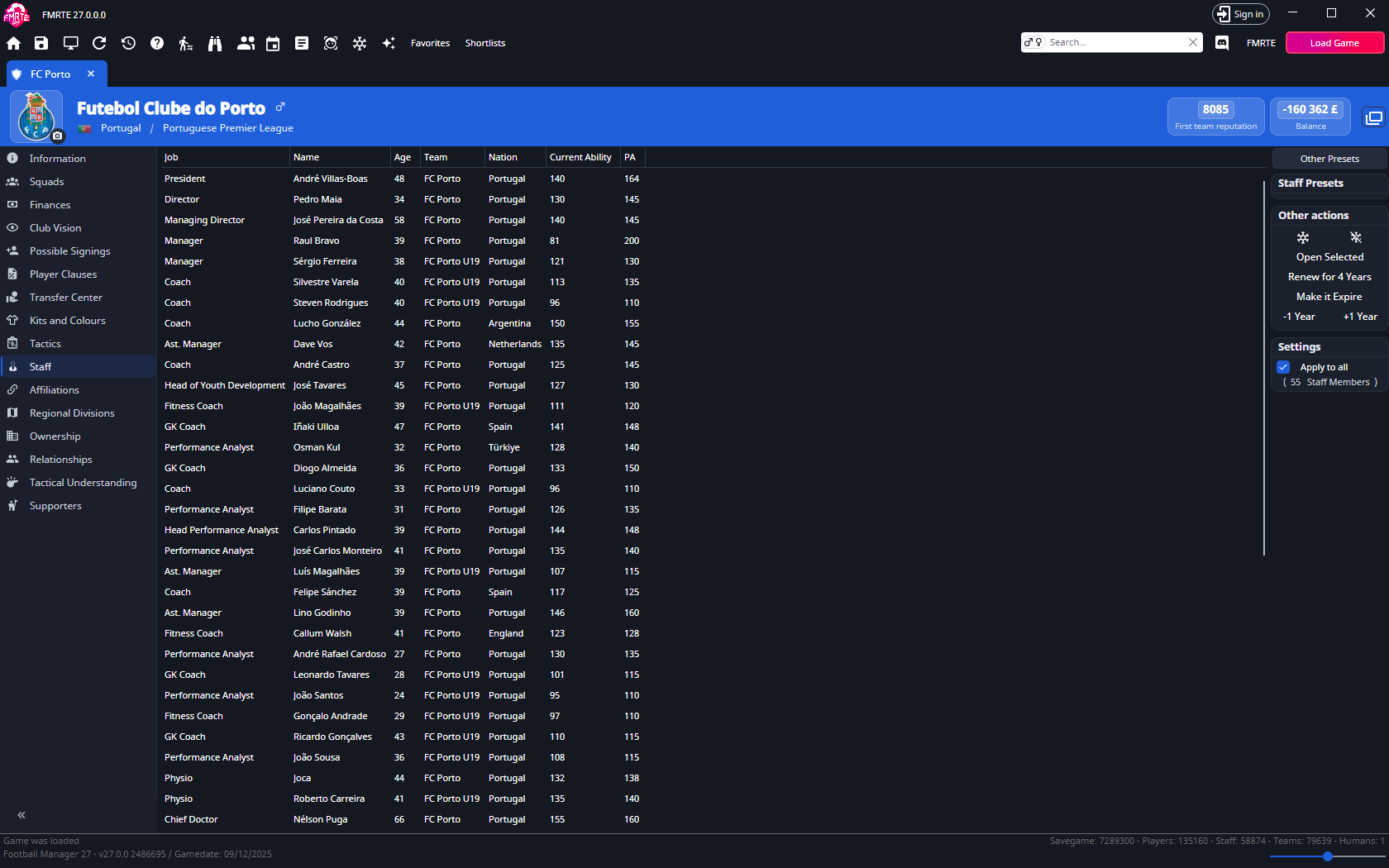
The panel on the right has:
| Part | What it does |
|---|---|
| Other Presets | Opens the presets from other categories that apply to staff. |
| Staff Presets | Runs a preset from the staff presets category. |
| Other actions | Freeze and Unfreeze (the snowflake buttons), Open Selected, and the contract actions below. |
| Settings | Apply to all, with the number of staff members the next action changes. |
Contract actions
| Button | What it does |
|---|---|
| Renew for 4 Years | Adds four years to each contract's end date. |
| Make it Expire | Sets each contract to end on the current game date. |
| +1 Year | Adds one year to each contract's end date. |
| -1 Year | Removes one year, but only from contracts with more than a year left. |
These actions change the game straight away, without Save Changes. Staff without a full contract are skipped.
Apply a preset or action
- Open the club and select Staff.
- Clear Apply to all to work with selected staff, or select it to include everyone in the list.
- Select the staff rows if you are working with a selection.
- Check the count under Apply to all.
- Choose a preset, or a button under Other actions.
- Open one of the staff members to check the result.
Apply to all is one setting for both the Squads and Staff tabs. Check it each time you switch.
See Presets and Freezer. To edit one person, see Editing coaches and staff.
Additional Staff
The Additional Staff box is on the club's Information tab. It appears only for a club managed by a human player.

It has a column for the first team and, when the club has them, the next two teams. Each value is 0 to 20.
| Row | Teams |
|---|---|
| Coaches, Physios, Sports Scientists, Performance Analysts | All columns |
| Scouts, Recruitment Analysts | First team only |
The game sets a base number of staff from the team's reputation. These values are added on top of that base.
Allow more staff
- Open your club and select Information.
- In Additional Staff, raise the value for the role and team.
- Select Save Changes.