Supported onWindowsmacOSLinux (Steam Deck)
Open in
Kits and colours
Change a club kit's basic colours and style.
Change a kit
- Open the club's Kits and Colours page.
- Choose Home Kit, Away Kit, Third Kit or a goalkeeper kit.
- Select the shirt, shorts or other item row.
- Change its colours or use Item Style to choose a design. Check the Example preview.
- Select Save Changes.
- Check the club page and a match in Football Manager.
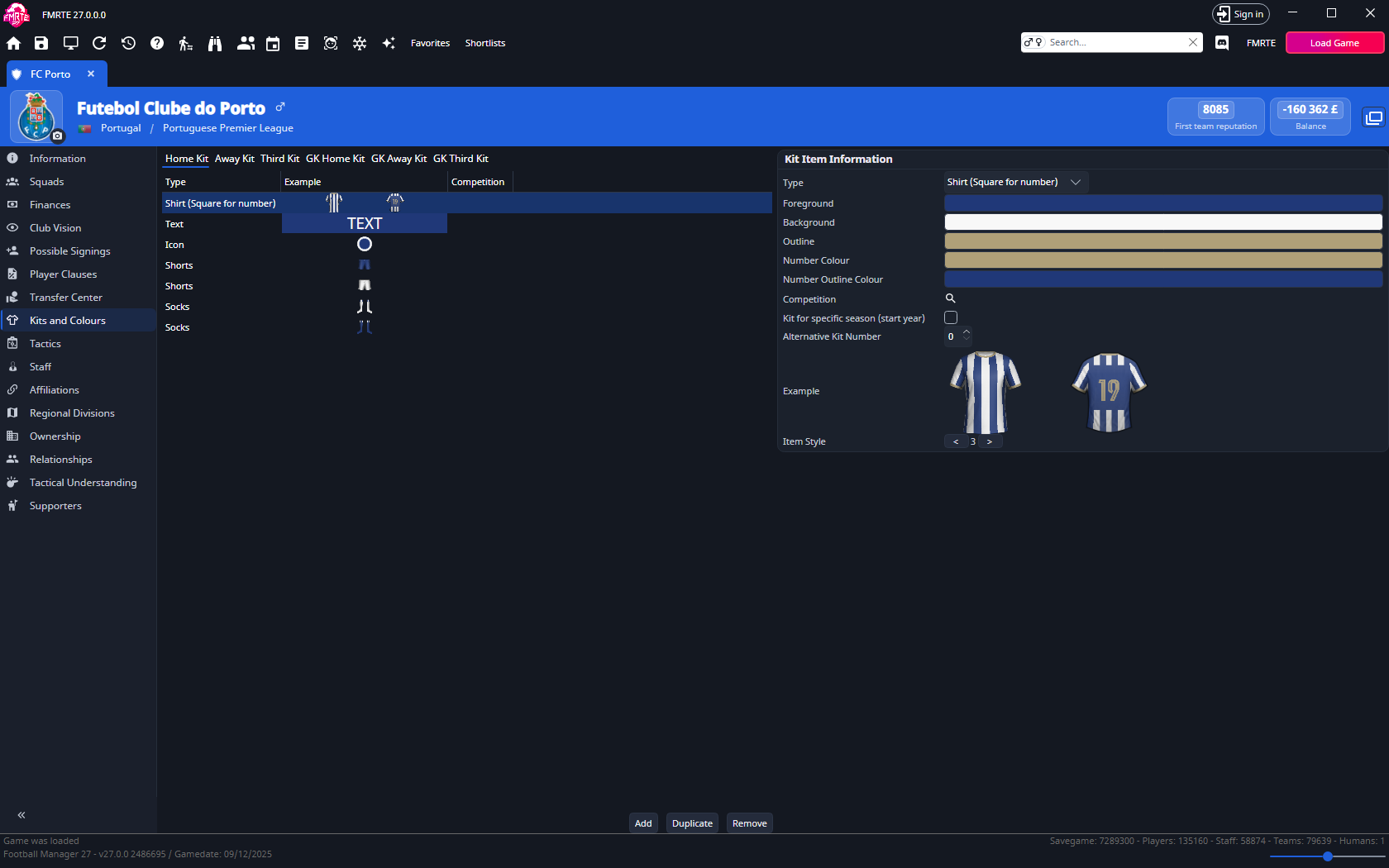
Use Add, Duplicate and Remove for whole kit records. Check Competition, season and Alternative kit number when more than one record could apply.
info
FMKE is a separate kit editor for image, logo and sponsor editing.
Allow Licensed Kits
Each team has an Allow Licensed Kits setting. It is on the club's Information tab, in Teams, not on Kits and Colours.
- Open the club and select Information.
- In Teams, choose the team.
- Select or clear Allow Licensed Kits.
- Select Save Changes.