Open in
Set up an AI provider
The AI Assistant needs a provider before it can answer. A provider profile holds the vendor, the endpoint, the model and, for remote services, your API key.
To use a remote provider such as OpenAI or Anthropic, you need your own API key from that provider. Local models served on your computer through Ollama or LM Studio do not need a key when they use a loopback endpoint.
Add a provider
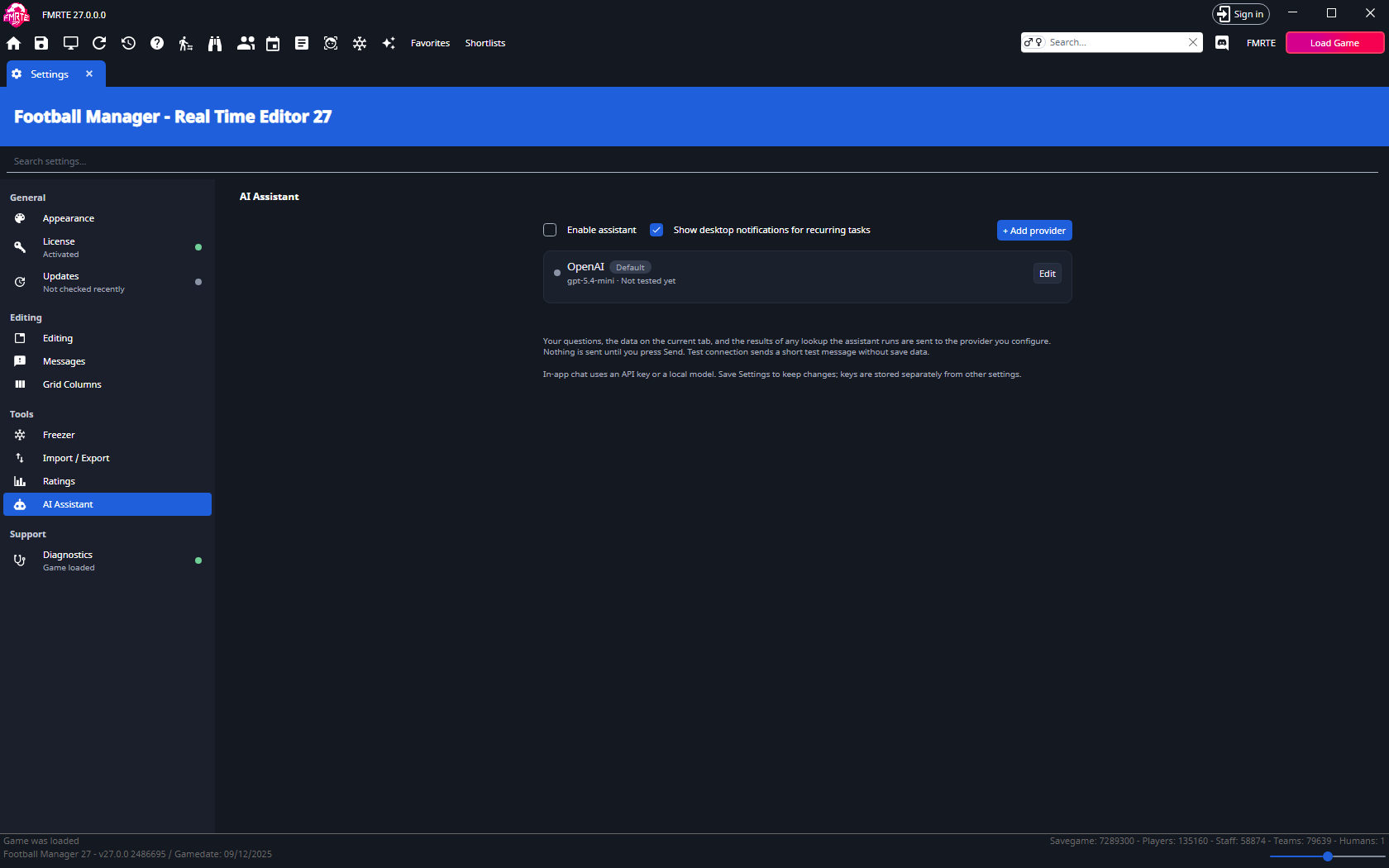
- Open Settings → Tools → AI Assistant.
- Turn on Enable assistant.
- Select + Add provider.
- Choose a Vendor. FMRTE fills in the base URL for you.
- Paste your API key. The Add button stays disabled while the key is blank. A local vendor needs no key.
- Select Add.
- On the provider card, choose a Model. Select Refresh models if the list is empty or out of date.
- Select Test. A working profile shows Connected and the response time.
- Save Settings.

The settings page lists every profile with its connection status. You can keep several named profiles and mark one Use this profile by default.
Use a custom endpoint
Choose Custom OpenAI-compatible, then enter the endpoint's name, base URL and model yourself. Plain HTTP endpoints are accepted only on loopback addresses. Remote endpoints must use HTTPS.
Provider presets
The Vendor list offers these presets. Each one fills in the base URL, and you pick the model on the provider card.
Remote providers
These need your own API key.
| Vendor | Notes |
|---|---|
| OpenAI | Native endpoint. |
| Anthropic | Native endpoint. |
| Google Gemini | OpenAI-compatible endpoint. |
| xAI Grok | OpenAI-compatible endpoint. |
| DeepSeek | OpenAI-compatible endpoint. |
| Qwen (DashScope) | OpenAI-compatible endpoint. |
| Moonshot Kimi | OpenAI-compatible endpoint. |
| Zhipu GLM | OpenAI-compatible endpoint. |
| MiniMax | OpenAI-compatible endpoint. |
Local providers
These run on your computer and need no API key.
| Vendor | Endpoint |
|---|---|
| Ollama (local) | http://localhost:11434/v1 |
| LM Studio (local) | http://localhost:1234/v1 |
Use a local model that supports OpenAI-compatible tool calling. If your server listens on another port, use the endpoint it reports.
What is sent to the provider
Remote requests send your questions, the data on the current tab, selected attachments and the results of any lookup the assistant runs to your chosen provider. Nothing is sent until you select Send message. Test sends a short test message without save data.
Conversation history is stored locally. Exported history can contain save data and tool results. Keep API keys out of screenshots and support reports.