Supported onWindowsmacOSLinux (Steam Deck)
Open in
Editing a city
A city's page holds the details Football Manager keeps for a city, such as its nation, size and location. Everyone born in the city, every stadium in it and any nation with it as capital share the same city. A change applies to all of them.
Open a city
- Search for its name or ID in Quick Search. Each city row shows its nation's flag, to tell apart cities that share a name.
- Select City Of Birth on a player, staff member or official's page.
- Select Capital on a nation's Information page.
- Select Location on a stadium's Information tab.
The city opens in its own tab, which stays open after Load Game like other record tabs.
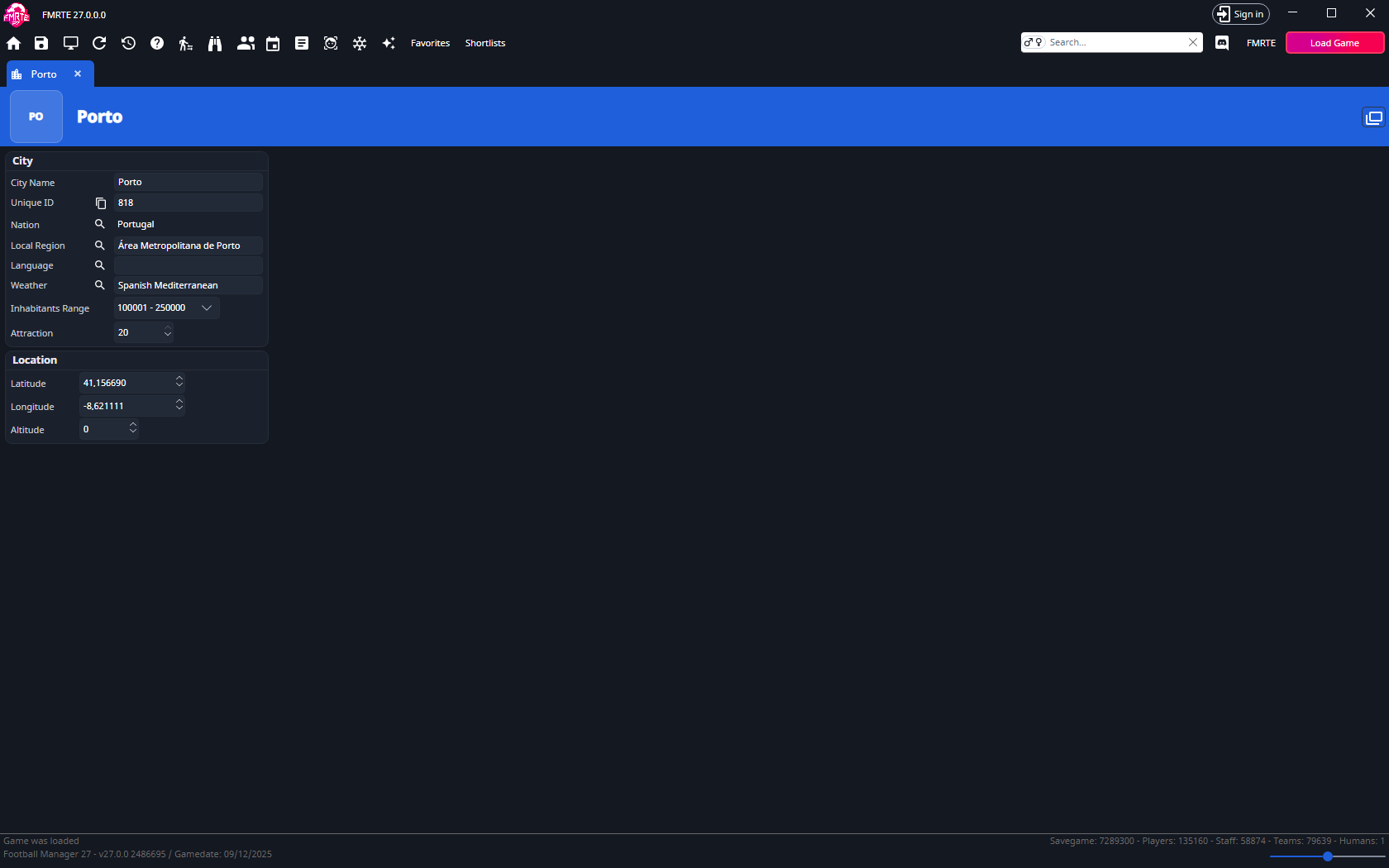
City
| Field | What it holds |
|---|---|
| City Name | The city's name. Read-only. |
| Unique ID | The city's ID. Read-only. Use the copy button to copy it. |
| Nation | The nation the city is in. Use the search button to pick another, or select the name to open the nation. |
| Local Region | The region inside the nation. Use the search button to pick another. |
| Language | The language spoken in the city. Use the search button to pick another. |
| Weather | The city's weather type. Use the search button to pick another. |
| Inhabitants Range | The city's size, as one of Football Manager's population bands, from 0 - 1000 up to 20000001 +. |
| Attraction | How attractive the city is, from 0 to 20. |
Location
| Field | What it holds |
|---|---|
| Latitude | From -90 to 90. |
| Longitude | From -180 to 180. |
| Altitude | The city's height above sea level. |
Select Save Changes in the toolbar to write your changes to the game. Save in Football Manager to keep them.
City columns
Lists can show a city's details as columns:
| List | City column |
|---|---|
| Players and staff | City of Birth |
| Nations | Capital |
| Stadiums | Location |
Each one offers the city's ID, name, nation, region, weather, language, coordinates, altitude, inhabitants and attraction. These columns are read-only, because a city is shared. Edit the city on its own page. Add them with Add/Remove columns.