Open in
Editing a stadium
Use Information for capacity, pitch, ownership and facility details, and Stadium Details for individual stands.
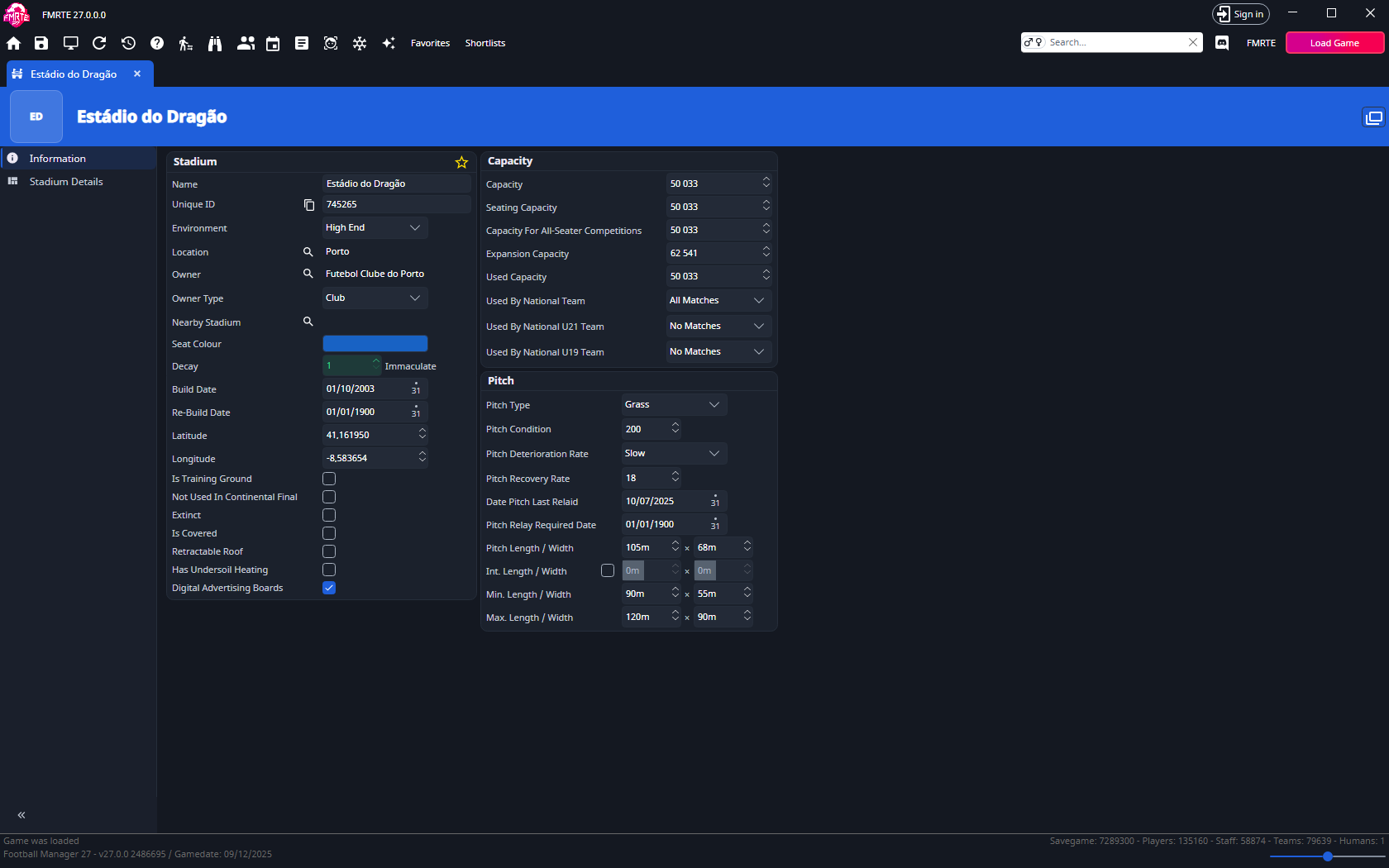
The stadium name is read-only and cannot be changed.
Open the correct stadium
- Open the club's Information page.
- In Teams, choose the team.
- Select its underlined Stadium name.
- Check the stadium's name, location and owner.
Capacity fields count spectators. Keep total, seated, used and expansion capacities consistent.
Worked example: changing a stand's capacity
- Open Stadium Details and select the stand you want to edit.
- Update its capacity - for example, from 5,000 to 5,500.
- Leave the roof, seats, and tunnel settings as they are, unless you want to change those too.
- Save your changes, then reopen the stadium to confirm the new value.
- Play a match in Football Manager and check the same stand in-game.
The changes will take effect the next time a game is played at that stadium.
Pitch and facilities
The Information tab groups the stadium's fields into three cards: Stadium, Capacity and Pitch.
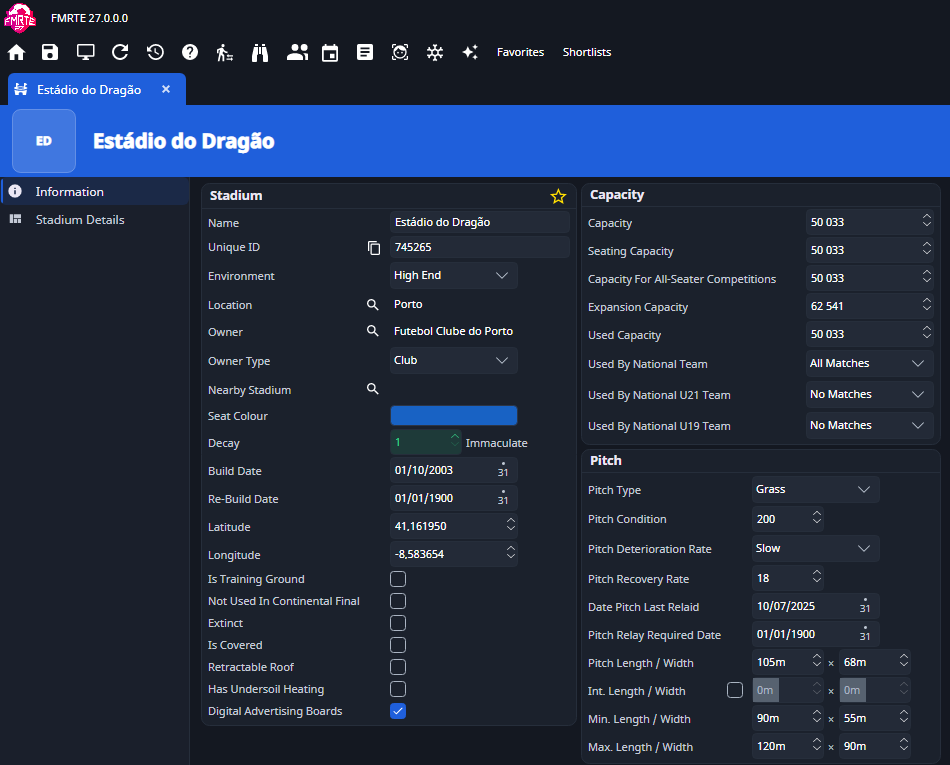
Stadium
| Field | What you can set |
|---|---|
| Name and Unique ID | Read-only. Use the copy button beside Unique ID to copy it. |
| Environment | Basic, Standard, High End or State of the Art |
| Location | The city. Use the search button to pick another one, or select the name to open the city. |
| Owner | The owning club. Use the search button to pick another one, or select the name to open it. |
| Owner Type | Club, Council, Private, Chairperson or Fans |
| Nearby Stadium | Another stadium. Use the search button to pick one, or select the name to open it. |
| Seat Colour | Select the colour box to open the colour picker. |
| Decay | 1–20. See Stadium decay. |
| Build Date and Re-Build Date | Dates |
| Latitude and Longitude | Decimal coordinates with six decimal places |
| Is Training Ground | Checkbox |
| Not Used in Continental Final | Checkbox |
| Extinct | Checkbox |
| Is Covered | Checkbox |
| Retractable Roof | Checkbox |
| Has Undersoil Heating | Checkbox |
| Digital Advertising Boards | Checkbox |
Capacity
| Field | What you can set |
|---|---|
| Capacity, Seating Capacity, Capacity for All-Seater Competitions, Expansion Capacity, Used Capacity | Spectator counts |
| Used By National Team, Used By National U21 Team, Used By National U19 Team | No Matches, All Matches, Major Matches, Medium Matches, Minor Matches, Major Matches And Some Medium Matches or Minor Matches and Some Medium Matches |
Pitch
| Field | What you can set |
|---|---|
| Pitch Type | Grass, Synthetic (New Type - Soft), Synthetic (New Type - Hard), Gravel/Clay/Sand, Gravel, Clay, Sand or Grass/Synthetic Mix |
| Pitch Condition | Number |
| Pitch Deterioration Rate | Fast, Medium or Slow |
| Pitch Recovery Rate | Number |
| Date Pitch Last Relaid and Pitch Relay Required Date | Dates |
| Pitch Length / Width | Current length × width |
| Int. Length / Width | International length × width. Tick the checkbox to set them, or clear it to remove them. |
| Min. Length / Width and Max. Length / Width | Allowed range for the pitch size |
Planned capacity changes
The Capacity Changes tab appears only when the stadium already has scheduled capacity changes or planned works. FMRTE edits the entries the game has scheduled. You cannot add or remove entries here.
Under Capacity Changes, each scheduled change has:
| Field | What you can set |
|---|---|
| New capacity | 0–500,000 |
| New seating capacity | 0–500,000 |
| Start Date and End Date | Dates |
Under Planned Stadium works, each work has:
| Field | What you can set |
|---|---|
| Start Date and End Date | Dates |
| Club | Read-only. The club the work is for. |
| Seating Capacity Expansion | -100,000–500,000. A negative value removes seats. |
| Standing Capacity Expansion | -100,000–500,000. A negative value removes standing places. |
| Reduced Capacity | 0–500,000 |
The game removes a scheduled change or work when it completes, so edits on this tab cannot be undone from Edit History. Load an earlier save to go back.
What each stand control does
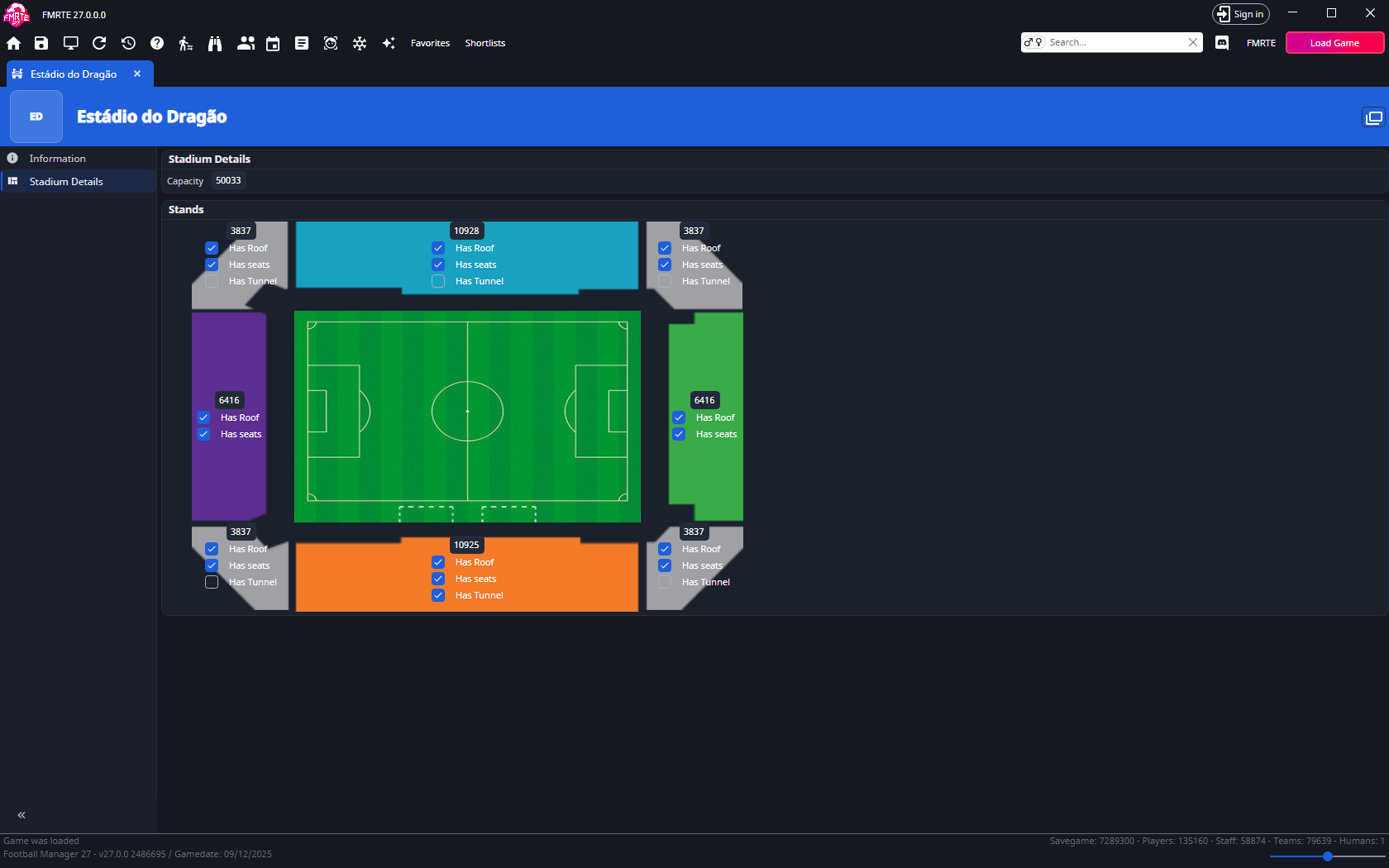
| Control | Meaning |
|---|---|
| Capacity | Spectator count for the stand |
| Has roof | Whether the stand is covered |
| Has seats | Seating in the stand |
| Has tunnel | Players' tunnel, where available |
Stadium decay
In Information, Decay is an editable 1–20 value with a condition description. Lower values indicate better condition.
| Decay | Description |
|---|---|
| 1 | Immaculate |
| 2–5 | Good |
| 6–10 | Okay |
| 11–15 | Poor |
| 16–20 | Disrepair |
Pitch fields show the selected metre/yard units. Keep the displayed minimum, maximum and current dimensions consistent.
Stadium Move
A club's Stadium Move tab shows a planned move to another stadium. The tab appears only when the club has one. Each move has its own box.
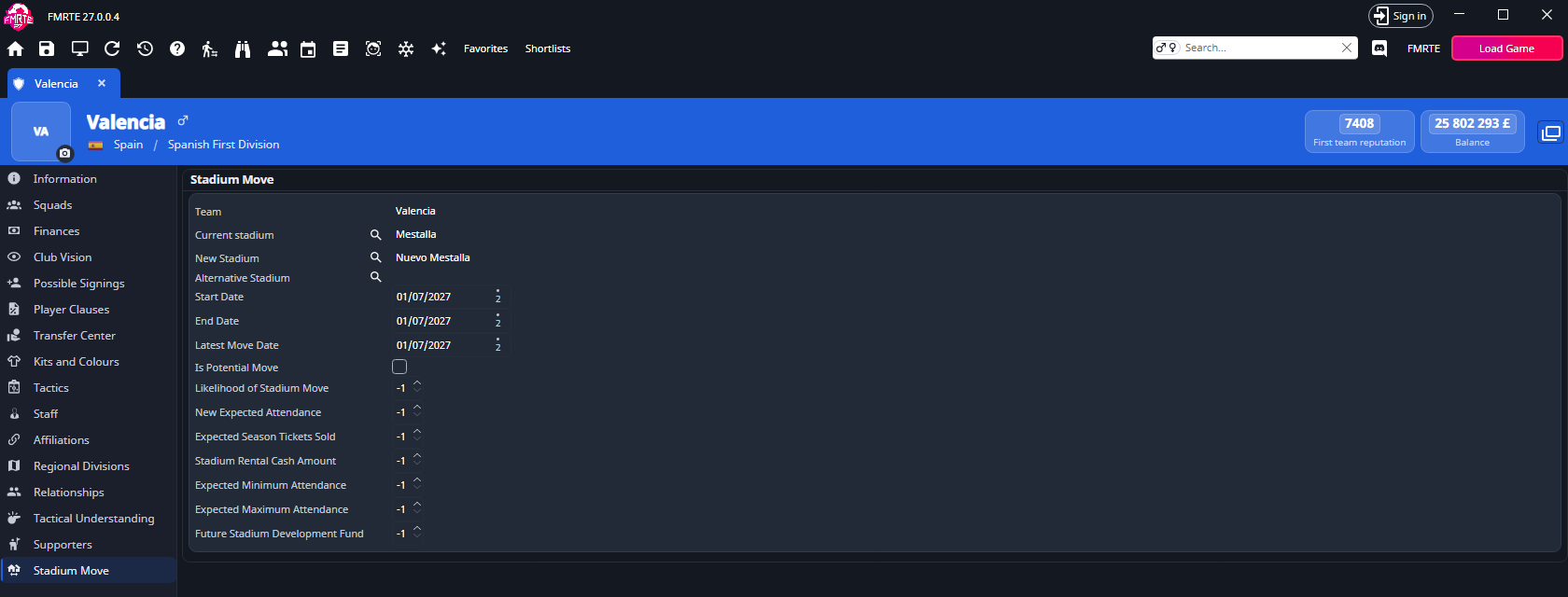
| Field | What you can do |
|---|---|
| Team | Select the name to open the club. You cannot change the team here. |
| Current stadium, New Stadium, Alternative Stadium | Select the name to open the stadium, or use the search button to choose another one. |
| Start Date, End Date, Latest Move Date | Change the dates. |
| Is Potential Move | Shown only. FMRTE does not save changes to it. |
| Likelihood of Stadium Move | 1 to 100. |
| New Expected Attendance, Expected Minimum Attendance, Expected Maximum Attendance | Up to 2,000,000. |
| Expected Season Tickets Sold | Up to 100,000. |
| Stadium Rental Cash Amount | Up to 100,000. |
| Future Stadium Development Fund | 0 to 2,000,000. |
To change where the club moves:
- Open the club and select Stadium Move.
- Select the search button next to New Stadium and choose the stadium.
- Check Start Date and Latest Move Date.
- Select Save Changes.
You cannot add or remove a move here.